
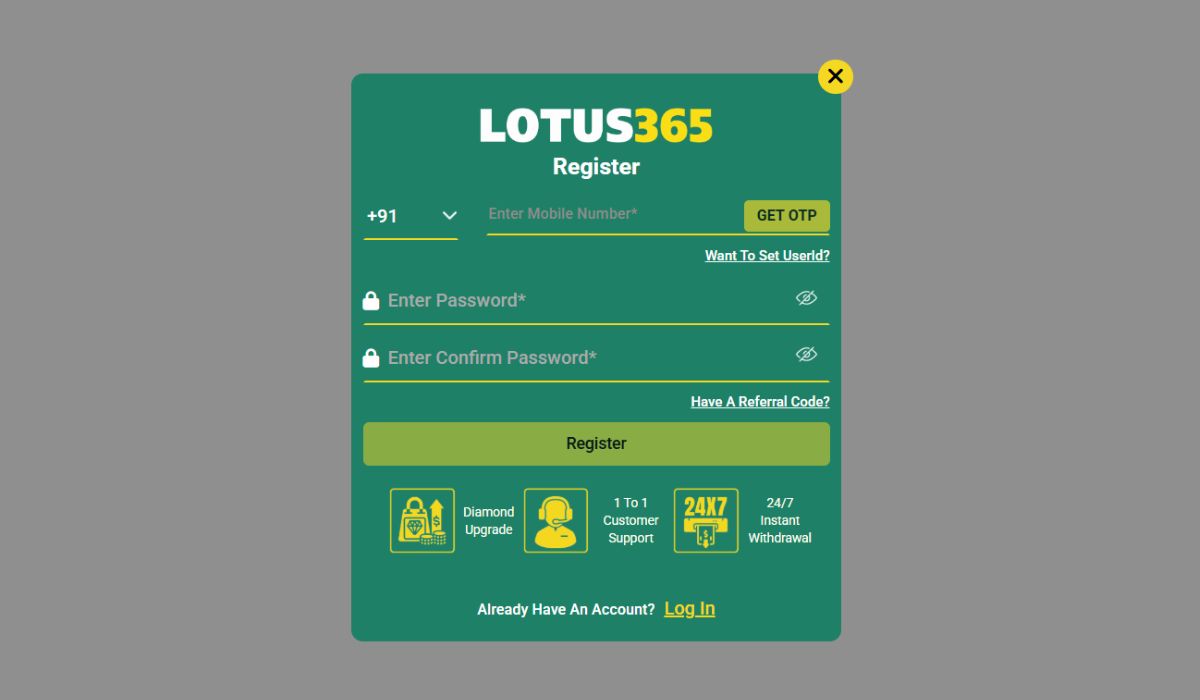
Creating your account is the first step to accessing the features on Lotus365. Whether you want to explore sports markets, browse casino games, or manage your funds, you need a registered account to get started.
The registration process is designed to be straightforward, but it is important to complete it correctly. Entering accurate information and following the right steps ensures that your account remains secure and functions properly when you need to make transactions or recover your login details.
This guide explains the standard Lotus365 registration process, what information you will need, and how to avoid common mistakes.
Lotus365 uses a single-account system. This means you only need to register once to gain access to all areas of the platform, including sports, live casinos, and your payment wallet. You do not need to create separate accounts for different features.
Registration is usually handled directly through the official website or by contacting the official support team to assist with the setup. Once the process is complete, you will receive your unique User ID and login credentials.
If you are creating your account directly through the website, follow these standard steps:
To ensure a smooth registration process, have the following information ready before you start:
One of the most common mistakes new users make is providing incorrect contact details, especially a fake or inactive phone number.
It is highly recommended to use your real, active mobile number. If you ever forget your password, need to change your details, or are required to verify your identity for security reasons, the platform will send codes to that number. If you cannot access the number linked to your account, recovering your account becomes very difficult, and you may lose access to your funds.
Even a simple process can have minor hiccups. Here are the most common issues users face during registration and how to resolve them:
If you do not receive your verification code, wait a few minutes. Check your SMS inbox and spam folders. Ensure your phone has a strong network signal. If the code still does not arrive, try requesting a new one. Avoid clicking the resend button multiple times in a row, as this can cause a delay.
If the page shows an error when you click submit, double-check your form. Ensure all mandatory fields are filled out. Make sure there are no special characters in your name unless allowed, and verify that your password meets the platform’s strength requirements.
If you are asked to create a custom username and it is rejected, it means another user has already chosen it. Try adding numbers or slight variations until you find one that is available.
If the registration page is stuck or unresponsive, clear your browser’s cache and cookies. You can also try switching to a different browser or using your mobile data instead of Wi-Fi.
Keeping your personal information safe starts the moment you begin the registration process. Follow these best practices:
Never register for an account while connected to public Wi-Fi. Use your private mobile data or a secure home network to prevent your details from being intercepted.
Only register through the official Lotus365 website. Do not use links sent by strangers on WhatsApp, Telegram, or social media, as these are often phishing sites designed to steal your information.
Once you receive your User ID and password, do not share them with anyone. Official support staff will never ask for your password.
Yes. Registering for an account is completely free. You only need to add funds when you are ready to start placing bets or playing games.
No. Platforms like Lotus365 generally have a strict policy allowing only one account per user. Creating multiple accounts can lead to all your accounts being suspended or permanently banned.
If you enter the wrong number and have not yet verified the account, you may be able to go back and correct it. If the account is already verified with the wrong number, you will need to contact official customer support immediately to update your details before you can use the account safely.
Yes, most platforms require you to enter the OTP sent to your phone or email before your account becomes fully active. Without verification, you will not be able to log in or access the dashboard.
The Lotus365 registration process is designed to be quick and user-friendly, allowing you to get started in just a few minutes. By taking the time to provide accurate contact information, creating a strong password, and following the verification steps, you set yourself up for a smooth experience. Always prioritize security by using the official website and keeping your new login details completely private.